Hotel Lobby AI Free: Make the Viral Quavo Video in 4 Steps (First Gen $0)
Hotel Lobby AI Free: Make the Viral Quavo Video in 4 Steps for $0
Hotel lobby AI free means exactly what it sounds like: your first video costs $0 — no credit card, no catch. The viral clips of dogs, historical figures, and random duos “performing” Quavo & Takeoff’s Hotel Lobby are made with Higgsfield’s Genjutsu tool. Upload the original 19-second performance, add two photos, and the AI swaps the two rappers for your characters — same moves, same orange set, same audio. One Instagram reel of two golden retrievers doing exactly this pulled 23K likes in days. Below: the 4-step recipe, the honest cost breakdown after free runs out, and how creators are already cashing in.
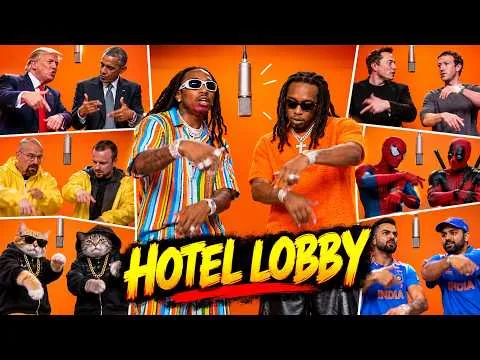
Video: a breakdown of the Hotel Lobby AI trend, embedded above (source: YouTube, original link in References).
Input → output: what $0 actually buys you
Real example, not a mockup. Input: two phone photos of golden retrievers (Diplo and Wes) + the 19-second Hotel Lobby clip. Output: the two dogs standing on their hind legs, rapping into a studio mic against the orange backdrop — 23K likes, 420 comments, and a comment section split between “best use of AI yet” and “wait, is this real?”
That’s the whole trick, and it’s why the trend works: nothing is re-animated from scratch. The camera move, the framing, the background, the lighting, the audio — all original. Only the two performers change.
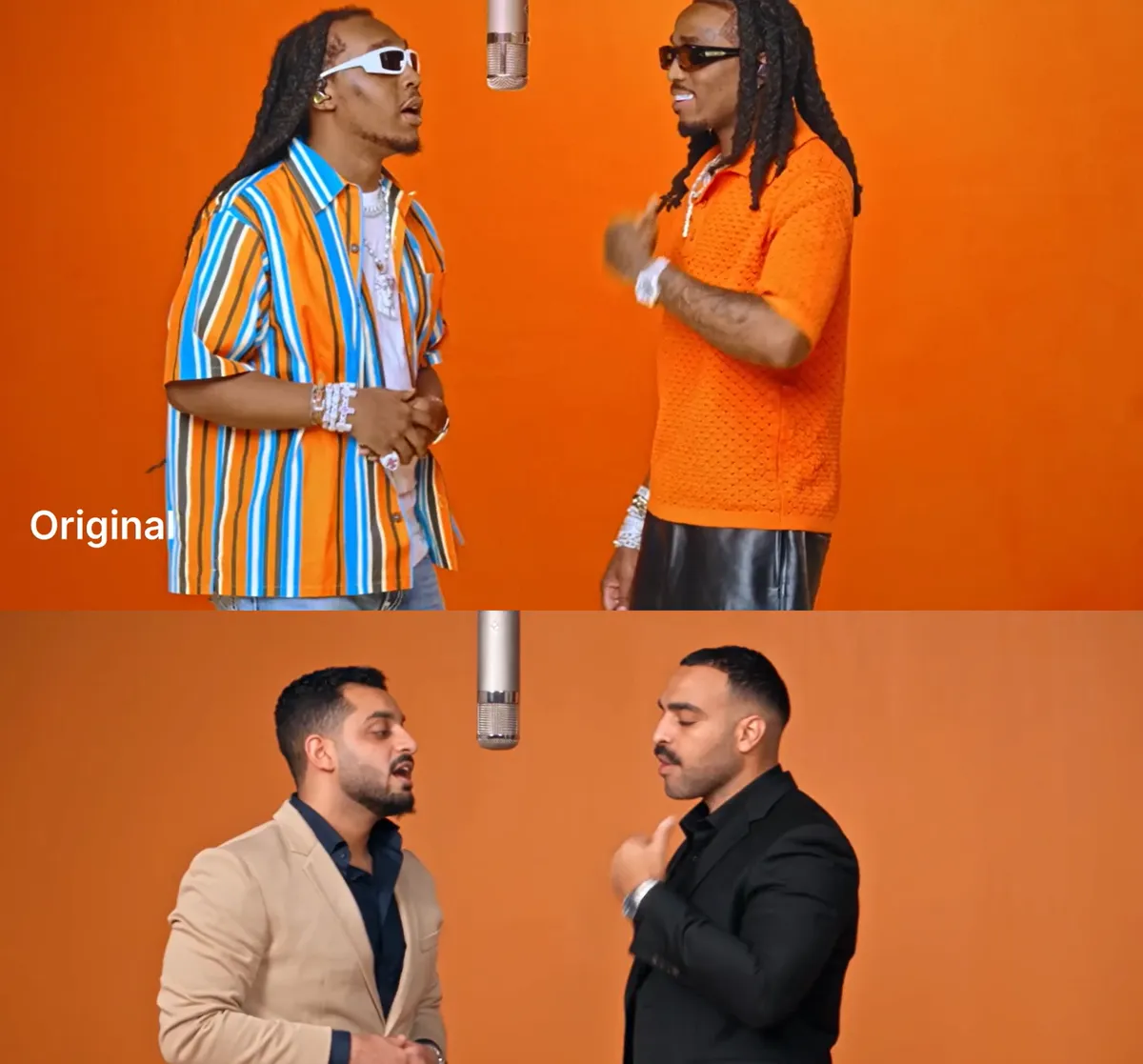
Real result from a tutorial run: original on top, AI swap on bottom. Source: Ahmed Salama’s tutorial (link in References).
It’s not a hotel — here’s the 10-second explainer
The trend is Quavo & Takeoff’s Hotel Lobby performance for A COLORS SHOW: two rappers, one orange studio backdrop, 19 seconds of swagger. Creators use AI to swap the two performers for anyone — their dogs, Genghis Khan, themselves and a friend. The motion, camera work, orange set, and original audio all stay; only the people change. That’s why it looks real enough to start “is this AI?” arguments in the comments.
The catch with “free” (read this before you start)
Higgsfield runs on credits, and the free plan has no monthly refill — burn through your trial allowance and you hit an upgrade banner. Most tutorials skip this part. What they also skip: new accounts get free-generation allowances, shown as a “Free Gens” toggle in the app, and for this exact trend the first generation is free.
The strategy, then: run the entire workflow on the $0 generation first, then decide if it’s ever worth paying for. Everything below is designed to be completed inside that free run.
The 4 steps (about 10 minutes)
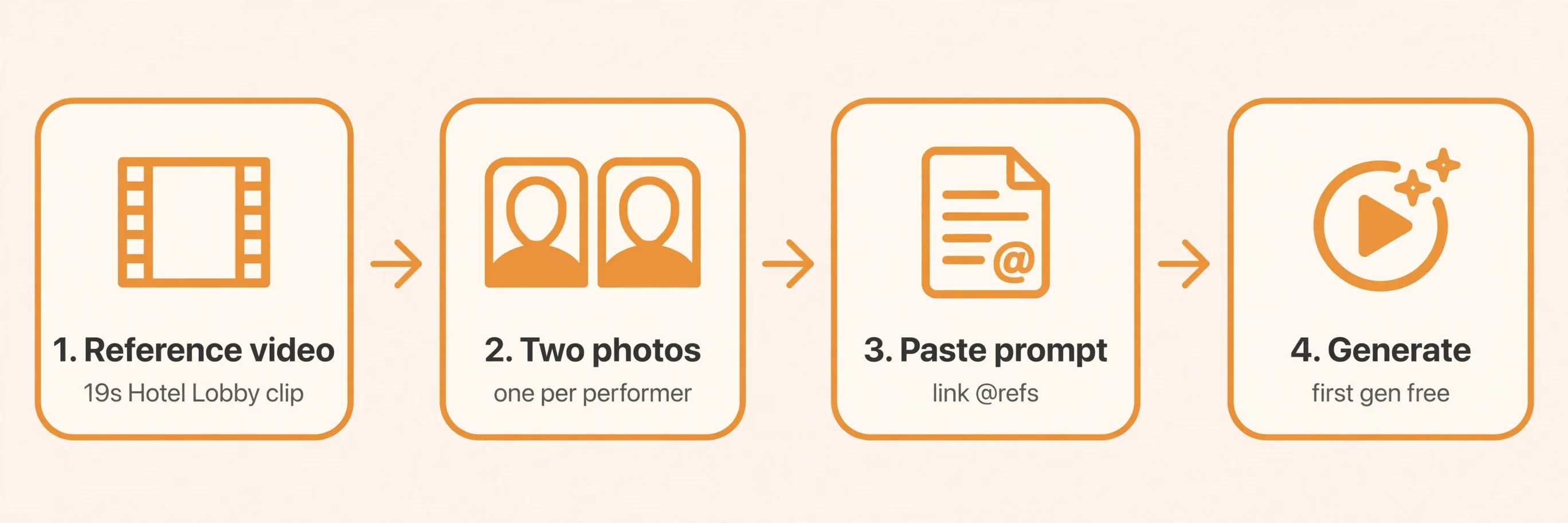
Step 1: Get the 19-second reference clip
You need the original Quavo & Takeoff Hotel Lobby COLORS performance clip with its original audio — the one with the solid orange background, easy to find on YouTube. Grab the 19-second section. (Tip from people who’ve done this: shorter clip = lower credit cost when you eventually pay. Test on a few seconds first.)
Step 2: Pick two character photos
One photo per performer. Photo quality decides 80% of your result:
- Good: front-on, well lit, one person, face fully visible, outfit visible. Full-body if the clip shows full bodies.
- Weak: group shots, heavy filters, sunglasses, cropped bodies. The model has to invent whatever your photo doesn’t show.
Assign photo 1 to the performer who starts on the left, photo 2 to the one on the right. Get the order wrong and the whole clip comes back mirrored — this is the single most common failure.
Step 3: Open Genjutsu, upload, paste the prompt
- Sign up at higgsfield.ai, open Video in the top nav, select Genjutsu.
- Choose the motion-transfer / swap mode (labels move around; “Motion transfer” or “Objects swap” both lead to the same upload flow).
- Upload the reference video first, then your two photos.
- Switch on the Prompt toggle and paste a prompt like this, linking each
@reference to the file you uploaded:
Use @Video1 as the source performance throughout the clip. Replace the performer who starts on the left with the character from @Image1, and the performer on the right with the character from @Image2. Keep each replacement attached to its assigned performer as they move. Use each image for face, hairstyle, body proportions, and clothing. Follow the original gestures, head movements, and mouth movements, matching the timing of @Video1. Preserve the camera movement, framing, background, lighting, and original audio.
Step 4: Keep “Free Gens” on, generate, and check
Confirm the free-generations toggle is on, then hit Generate. Before you download, check five things: faces hold the whole way through (not just the opening frames), hands look right (extra fingers = regenerate), movement lands on the beat, the characters haven’t switched sides, and the original audio is intact. If the audio got re-synthesized, just re-attach the original track in any video editor.
What it costs after free (honest breakdown)
- Free: first generation(s) free via the in-app free-gens toggle, no card required. (Pending verification: the exact number of free generations varies — the app shows your remaining count on the toggle itself, and it differs by model and plan. Check the toggle before you generate.)
- Paid: once free gens run out, generation costs credits. One independent test of a 24-second 720p Genjutsu clip showed ~330 credits on promotion (~480 at standard rate) — but cost scales with length, resolution, and promos, so treat that as one data point, not a price list. (Pending verification: current plan prices — third-party reviews list entry plans around $5–9/mo and higher tiers up to ~$129/mo, but these change often. Confirm on Higgsfield’s official pricing page before paying.)
- The cost-control trick: Higgsfield shows the estimated credit cost next to the Generate button before you commit. Always test new photo pairs on a trimmed few-seconds clip first.
How people are cashing in on this
Three plays, all already happening:
- Tutorial traffic → referral links. Tutorial sites for this exact trend already embed Higgsfield referral links. Someone searching “hotel lobby ai free” is one click away from signing up — about as warm as search intent gets.
- Teach it, don’t just make it. A creator’s tutorial reel (3.3K likes) has a comment section drowning in “how do I do this for free” — and he’s DM-funneling every asker toward his paid AI course. The tutorial is the product.
- Sell the video as a service. Pet accounts, local brands, creators who want the trend without learning the tool — plenty of people will pay for a custom swap. The 4 steps above are your entire production line.
FAQ
Is hotel lobby AI really free? The first generation is free — no credit card, via the free-gens toggle in the app. After that it costs credits. (Pending verification: the exact free-generation count; the app displays it on the toggle.)
How many free generations do I get? It varies by model and account — the toggle in the create panel shows your remaining count. Once they’re spent, there’s no monthly refill on the free plan.
What song is the Hotel Lobby AI trend based on? Hotel Lobby by Quavo & Takeoff — the A COLORS SHOW performance. That’s also why searches like “hotel lobby song” and “migos ai song” (Quavo is a Migos member) all point to this same trend.
Is “migos ai video” the same thing? Yes, same trend family. Quavo is a member of Migos; “migos ai video” and “migos ai song” are alternate search phrases for these AI character-swap performance videos.
What is “hotel lobby ai filter”? Another search variant for the same thing — there isn’t a separate “filter” product. It’s the Genjutsu motion-transfer workflow described above.
Can I do this on my phone? Higgsfield runs in the browser on mobile (commenters on tutorial reels specifically ask this). Uploading the clip and photos works, though a desktop is more comfortable for the prompt step.
Will I get a copyright strike for the music? The workflow preserves the original song audio, which is exactly what makes it a copyright gray area on Instagram/TikTok/YouTube. Many viral versions stay up; some get muted or claimed. (Pending verification: no legal advice here — if you’re monetizing the account, consider replacing the track or checking each platform’s current music policy.)
Is there a video version of this tutorial? Yes — a YouTube breakdown of the Hotel Lobby AI trend is embedded at the top of this article:
References
- Ahmed Salama, “Make the viral Quavo and Takeoff Hotel Lobby AI video with Higgsfield Genjutsu” (step-by-step with copy-paste prompt): https://www.ahmedsalama.co/post/quavo-hotel-lobby-ai-video-higgsfield-genjutsu
- AI Systems Lab, “The Hotel Lobby character swap · Higgsfield Genjutsu tutorial” (detailed guide incl. a 24s/720p credit-cost test): https://resources.aisystemslab.ai/hotel-lobby/
- YouTube Shorts, “How to make the AI Hotel Lobby trend (free) #genjutsu” (“Your first generation is free”, keep Free Gens on): https://www.youtube.com/shorts/QjixHz1M1sk
- Higgsfield AI official site (Genjutsu: “transfer motion into new scenes, or swap details while everything else stays as filmed”): https://higgsfield.ai
- YouTube (@Memesok24), “Hotel Lobby AI Meme Explained | Why the Quavo & Takeoff Hotel Lobby Trend Is Everywhere” (trend explainer video, embedded in this article): https://www.youtube.com/watch?v=q7z3vYckdMY
Don't just read it — run the first job this week
Subscribe and get a 7-day validation checklist.
Subscribe free