Muse as a Coding Agent: Connecting GitHub and Vercel, Start to Finish
Muse as a coding agent is Muse’s most underrated capability. A lot of people still treat it as a chatbot, but its coding performance holds up well in practice — comparable to Claude and GPT on real programming tasks, and a handful of real coding tasks only used about 2% of the free-tier quota.
This post follows a real usage path: how to connect Muse to your GitHub and Vercel, going from “I have an idea” to “a live, reachable website,” start to finish. Any step I haven’t personally verified is explicitly flagged “pending verification” — nothing here is made up.
Muse’s coding capability, and its limits — up front
What it’s good at:
- Generating a complete small app from a description (web pages, small tools, scripts)
- Reading your existing code, explaining errors, locating bugs
- Editing code, adding features, and refactoring based on your instructions
- Going from code to deployment end-to-end with GitHub and Vercel
What it can’t do (don’t push it here):
- Architecture design for large systems — it can offer suggestions, but the call is yours
- Long-term maintenance of complex projects — it’s good at “building it,” not “keeping it alive”
- Zero-tolerance-for-error scenarios (core financial or medical logic) — anything it generates here needs mandatory human review, no exceptions
Get the positioning right: Muse is a very fast pair programmer, not a CTO who’s accountable for the outcome.
Connecting GitHub: letting it read and write your repo
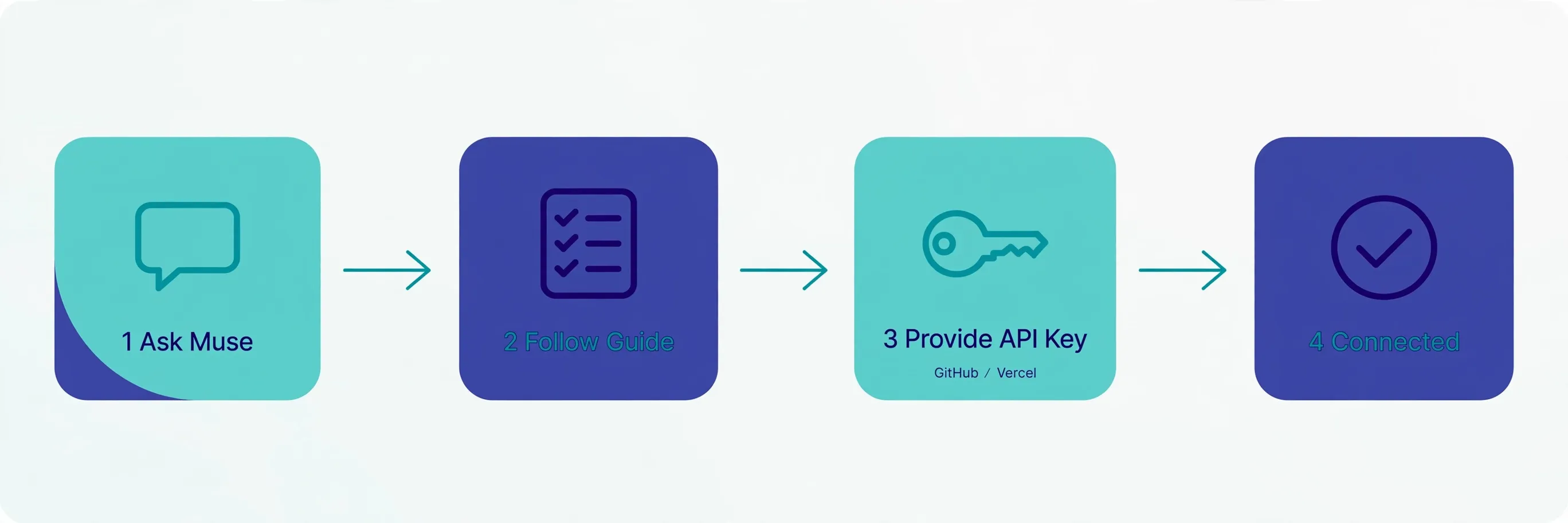
This is the foundation everything else builds on. In practice, the smoothest approach isn’t hunting for a settings page — it’s just asking Muse directly:
- Open Muse (app or web), and ask directly: “How do I connect GitHub?”
- Muse will tell you the connection methods it supports — in testing, it said it can accept an API key (for services like GitHub or Vercel) to connect. Follow its guidance.
- Complete the authorization it walks you through: this might mean pasting a GitHub personal access token, or going through an OAuth authorization page. Follow whatever Muse’s response says at the time (pending verification: the guided flow may vary between versions).
- Once authorized, just talk normally: “look at the structure of this repo,” “how do I fix this error,” “add a login page to this project.”
Security note: what you’re giving it is a token, not a password. Create a dedicated token scoped to repo access only on GitHub, and rotate it regularly. Don’t post the token anywhere public — obvious advice, but people still get caught out by it.
Connecting Vercel: deploy live with one sentence
Same approach — ask Muse directly “how do I connect Vercel,” and follow its guided flow to provide an API key (pending verification: follow the actual guidance you see).
Once connected, the development loop closes completely:
- “Deploy this project to Vercel” — it handles the build and deployment
- “The deployment failed, check the logs” — it reads the logs, fixes the issue, and redeploys
- “Give me a preview link” — request the link right after deploying
From writing code to going live, you never leave the chat. This is the real difference between a coding agent and “a chatbot that happens to write code”: the former can actually finish the job.
A full run-through: from one sentence to live
Using a real small project as an example — “build a web page that tracks daily expenses”:
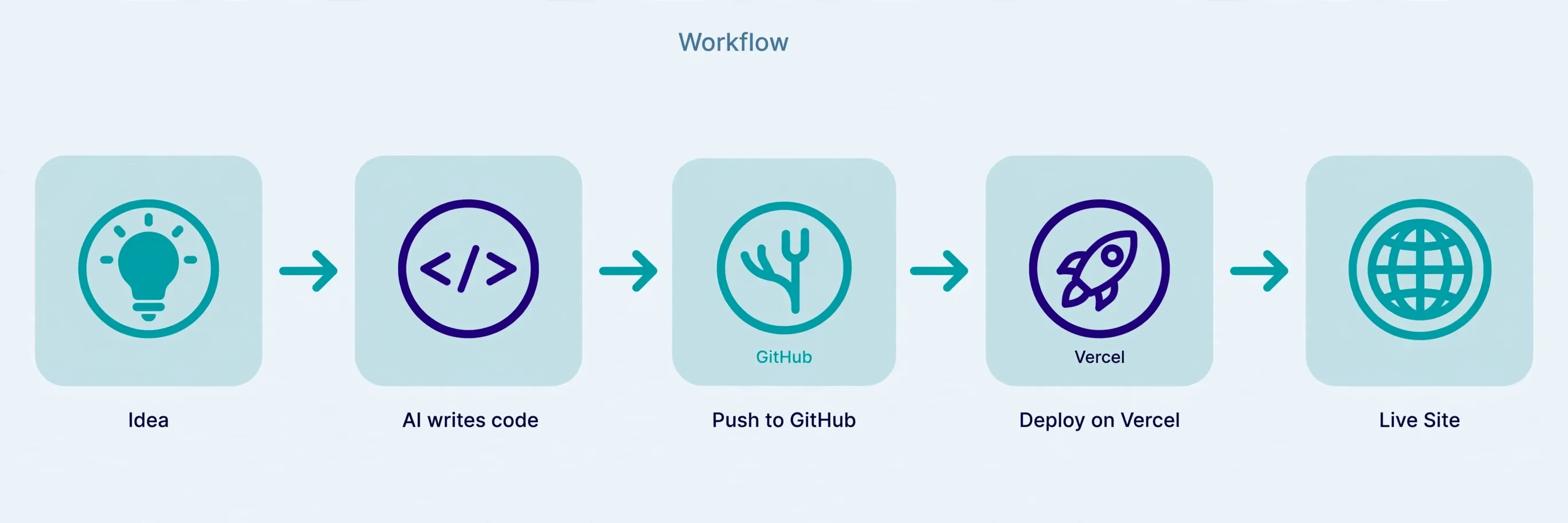
- State the requirement: “Build an expense-tracking web page — add expenses, categorize and total them, store data locally in the browser, keep the UI clean.”
- Review the code: Muse generates HTML/CSS/JS; have it walk you through the key logic and confirm it matches what you asked for.
- Push to GitHub: “Push this code to my GitHub, create a new repo called expense-tracker.” (pending verification: the exact flow for creating a repo on a first push)
- Deploy: “Deploy this to Vercel, give me a preview link.”
- Iterate: “Add dark mode,” “add a pie chart to the stats page” — have it redeploy after each change.
You may end up writing zero lines of code yourself, but you still need to understand what it’s doing. Someone with no coding background at all can follow this flow, but when something breaks, you need enough judgment to tell whether it’s a front-end issue or a deployment issue.
Is the free tier enough for coding?
Yes, more than enough. In testing, a handful of real coding tasks only used about 2% of the free tier (roughly 100 million tokens a week). Small projects, everyday scripts, and learning projects can run wild on the free tier (see our Muse free tier guide).
When would it not be enough? If you’re having it refactor large repos all day, batch-generating dozens of files, or running it as CI — that’s when Power tier is worth considering.
Muse vs. Cursor vs. Claude Code — how to choose
| Muse | Cursor | Claude Code | |
|---|---|---|---|
| Positioning | An all-purpose personal agent; coding is one capability among many | An IDE built for coding | A terminal-based coding agent |
| Getting started | A chat box — if you can talk, you can use it | Install an IDE, learn shortcuts | Need to be comfortable in a terminal |
| Deployment loop | Yes (via Vercel) | Weak, needs your own setup | Weak, needs your own setup |
| Price | Generous free tier | Free tier available, Pro at $20/mo | Usage-based, not cheap to run |
| Best for | Non-programmers, people who want something live fast | Programmers who write code daily | Heavy terminal users |
One line: if you’re a programmer, Cursor/Claude Code are still your main tools; if you’re not, or you just want “one sentence in, a live thing out,” Muse is currently the lowest-friction option. It doesn’t win on code quality — it wins on having the shortest path from idea to live.
This is also where it connects to making money with AI: building a small business a website, a booking page for a friend, turning repetitive manual work into a small tool — these are all real side hustles. The shorter the toolchain, the cheaper it is to take on a job.
A 30-minute beginner checklist
First time using it, follow this order and you’ll have the full flow working in half an hour:
- Minutes 0–5: Open Muse, ask “what can your coding ability do,” then ask “how do I connect GitHub,” and follow the guided authorization.
- Minutes 5–15: Try a tiny request to build trust — e.g. “build a pomodoro timer web page, 25-minute countdown, make it look decent.” Watch it generate and explain, then review the result.
- Minutes 15–25: Say “deploy to Vercel,” follow the guidance to connect Vercel, and get your first preview link. Open that link on your phone — that moment of “it’s actually live” is the fuel to keep going.
- Minutes 25–30: Ask for a change — “add dark mode” — and watch it update and redeploy.
After these 30 minutes, you’ll have a real feel for what a coding agent workflow is like. From there, move on to real projects: a personal blog, a portfolio site, a small tool site — all good practice material.
FAQ
Do I have to connect GitHub to use its coding ability? No. Connecting GitHub is for letting it read and write your repo and manage versions. For a simple “write me this code” request, you don’t need it connected.
Where does my code get sent? It runs through Meta’s Secure VM isolation. That said: think twice before authorizing access to core business code or repos containing secrets; use minimum-privilege tokens and rotate them regularly.
Is the code it generates reliable? Reliable for small projects and standard requirements; complex logic needs mandatory human review. Treat it like “a very fast junior engineer” — fast, but you’re responsible for sign-off.
What’s the advantage over just using ChatGPT or Claude to write code? The advantage isn’t in writing the code itself — it’s in what happens after: it can push to your repo, deploy live, and keep working on it over time. A chatbot hands you code and is done; an agent finishes the job.
Does deploying on Vercel cost money? Vercel has a free tier that’s plenty for small personal projects. Paying only becomes relevant once traffic grows — a later concern.
New to Muse? Start with the download & setup guide — iOS, Android, Mac, web, and WhatsApp compared, and why Windows still has no native app.
References
- Meta’s official announcement: Introducing Muse — the official source for the boundaries of Muse’s agent capabilities (task delegation, cross-app execution), the Secure VM / Sentinel security architecture, and the Muse Spark model.
- Muse’s official site — the authoritative source for the app and web entry points.
- GitHub Docs: Creating a personal access token — supports the token-security guidance above (dedicated tokens, minimum privilege, regular rotation).
Don't just read it — run the first job this week
Subscribe and get a 7-day validation checklist.
Subscribe free