Muse Image Tutorial: Meta's AI Image Generation and Editing, Explained
How does Muse Image work? Short version: it’s the layer inside Meta’s personal AI agent Muse that “looks at and draws” images. You don’t open a separate image app — say what you want in the same chat you already use with Muse, and the image appears. Send it an old photo and say “fix this up” and it can do that too.
Most people hear about Muse booking flights and making phone calls first, then stumble onto the fact that it can also draw. This tutorial covers what Muse Image is, where to find it, what you can do with it, and the one line you should never cross.
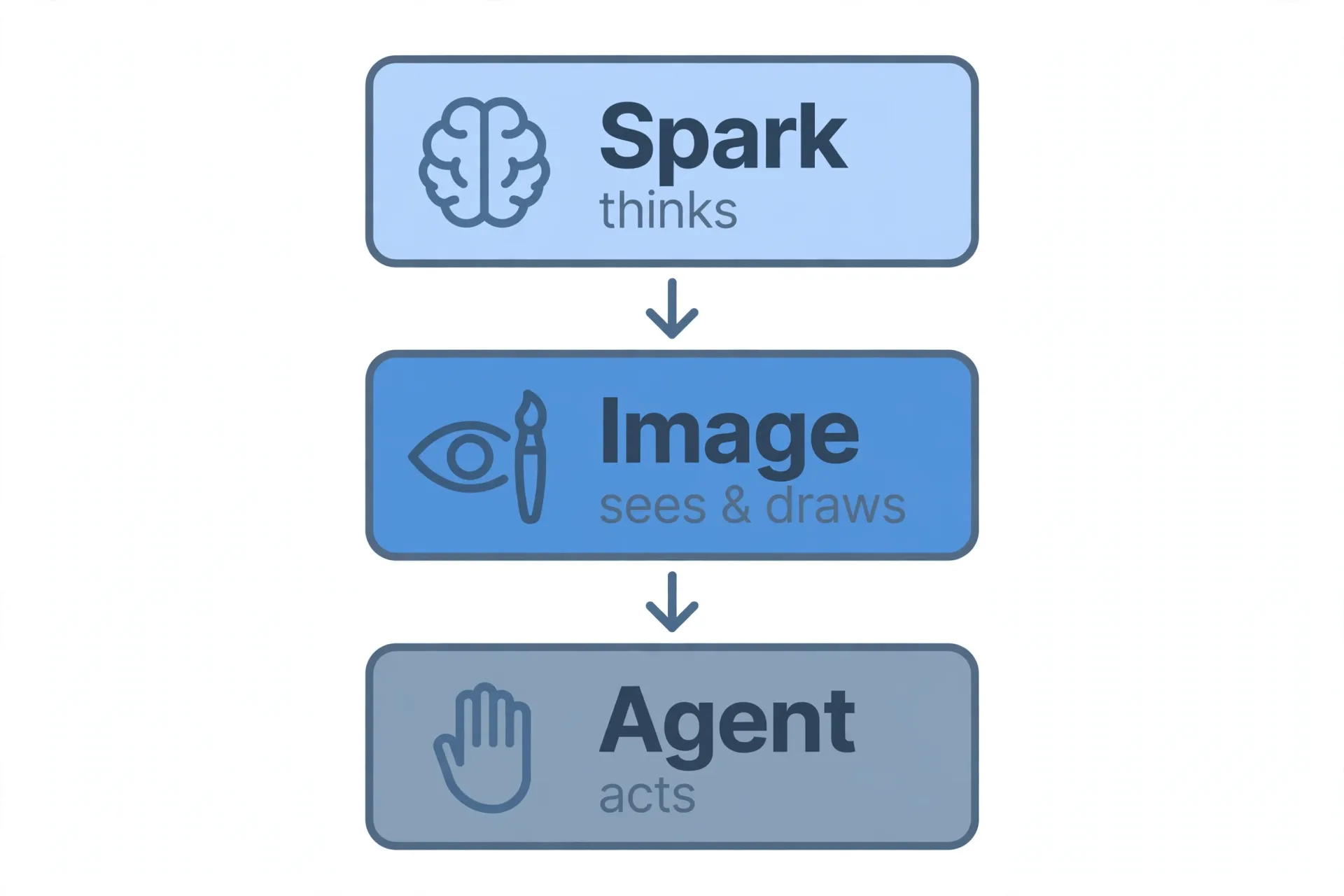
First, understand Muse’s three layers
Muse isn’t a single chat box — it’s three capabilities stacked together:
- Muse Spark: the brain. The large language model that understands what you say and reasons about it.
- Muse Image: the eyes and the paintbrush. It generates and edits images, launched alongside Muse in July 2026. On the third-party leaderboard Artificial Analysis it has ranked as high as #5 for text-to-image and #4 for editing (third-party ranking, for reference only, moves around).
- Muse the agent itself: the hands and feet. It executes tasks for you — booking, emailing, calling, running errands.
So when you say “draw me a picture,” the brain understands the request and the paintbrush executes it. When you say “fix up this old photo and send it to my mom,” the paintbrush edits and the hands and feet send it. Each layer handles its part, and they work together.
Where to find the image feature
The App, the muse.ai web app, and WhatsApp can all call the image capability — the difference is mostly in experience:
- App (most convenient): describe what you want directly in the chat, e.g. “draw a cyberpunk-style coffee shop poster,” or attach a photo and say “turn this into an oil painting.” Muse calls the image capability automatically — no mode switch needed.
- muse.ai web: same chat-based interaction, good for refining prompts at a desk.
- WhatsApp: send text or images directly, good for on-the-go use (US-first rollout, see our Muse WhatsApp tutorial).
One note: Meta is iterating fast, so exact button placement and copy may shift between versions. If you can’t find it in your version, just ask Muse directly “where’s your image feature” — it’ll tell you. That trick works for basically any Muse feature.
Core skill 1: text-to-image, plain language works fine
You don’t need prompt-engineering jargon. In practice, Muse Image handles natural language description well — the key is being specific about the scene:
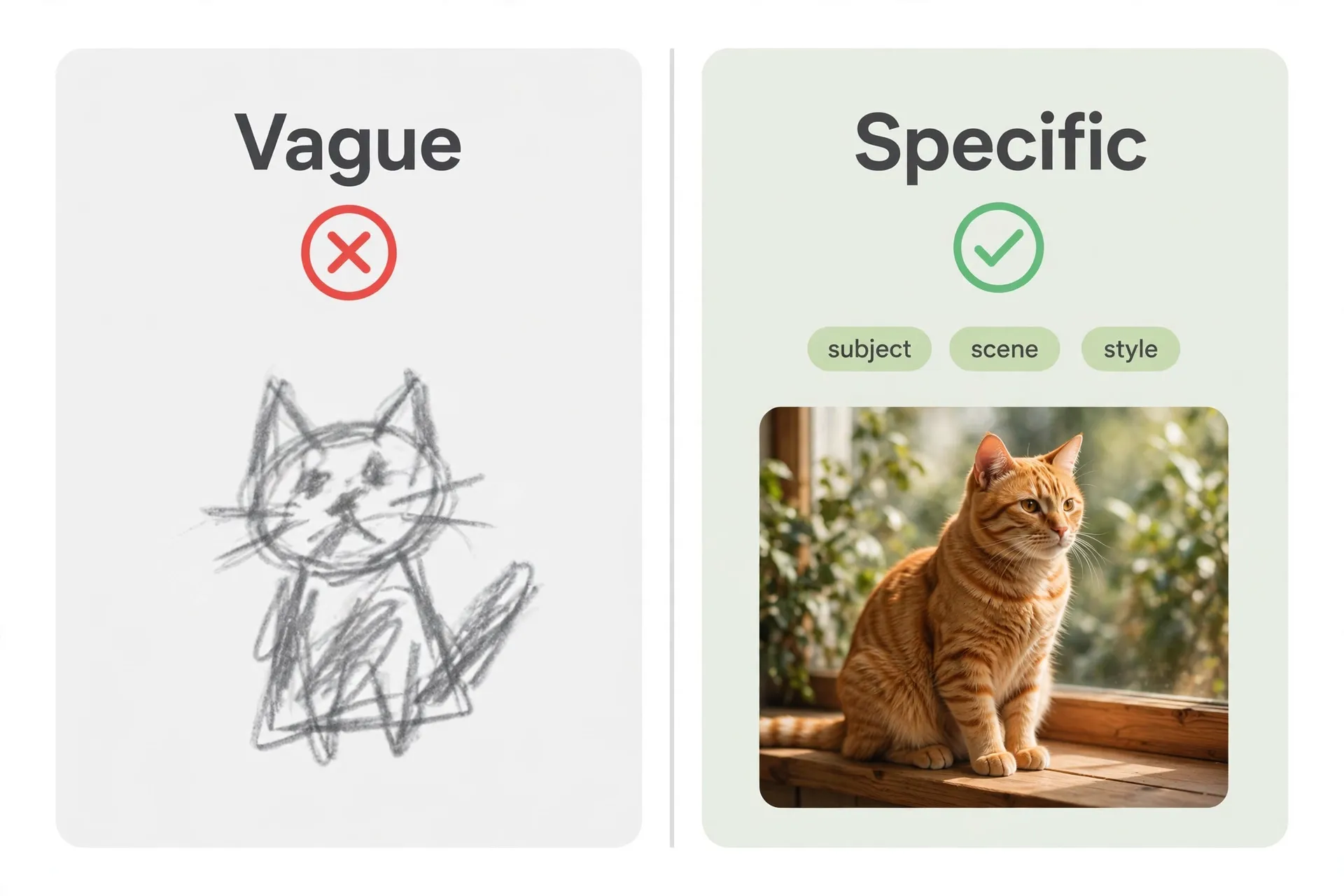
- Weak prompt: “Draw a cat.”
- Strong prompt: “Draw an orange tabby cat crouched on a sunlit wooden windowsill, blurred green plants in the background, film grain look.”
Give it three dimensions — subject, setting, style — and your first-try success rate goes way up. Not happy with the result? Just keep talking: “make the cat black,” “warm up the lighting” — it iterates instead of starting over.
Core skill 2: old photo restoration and colorization
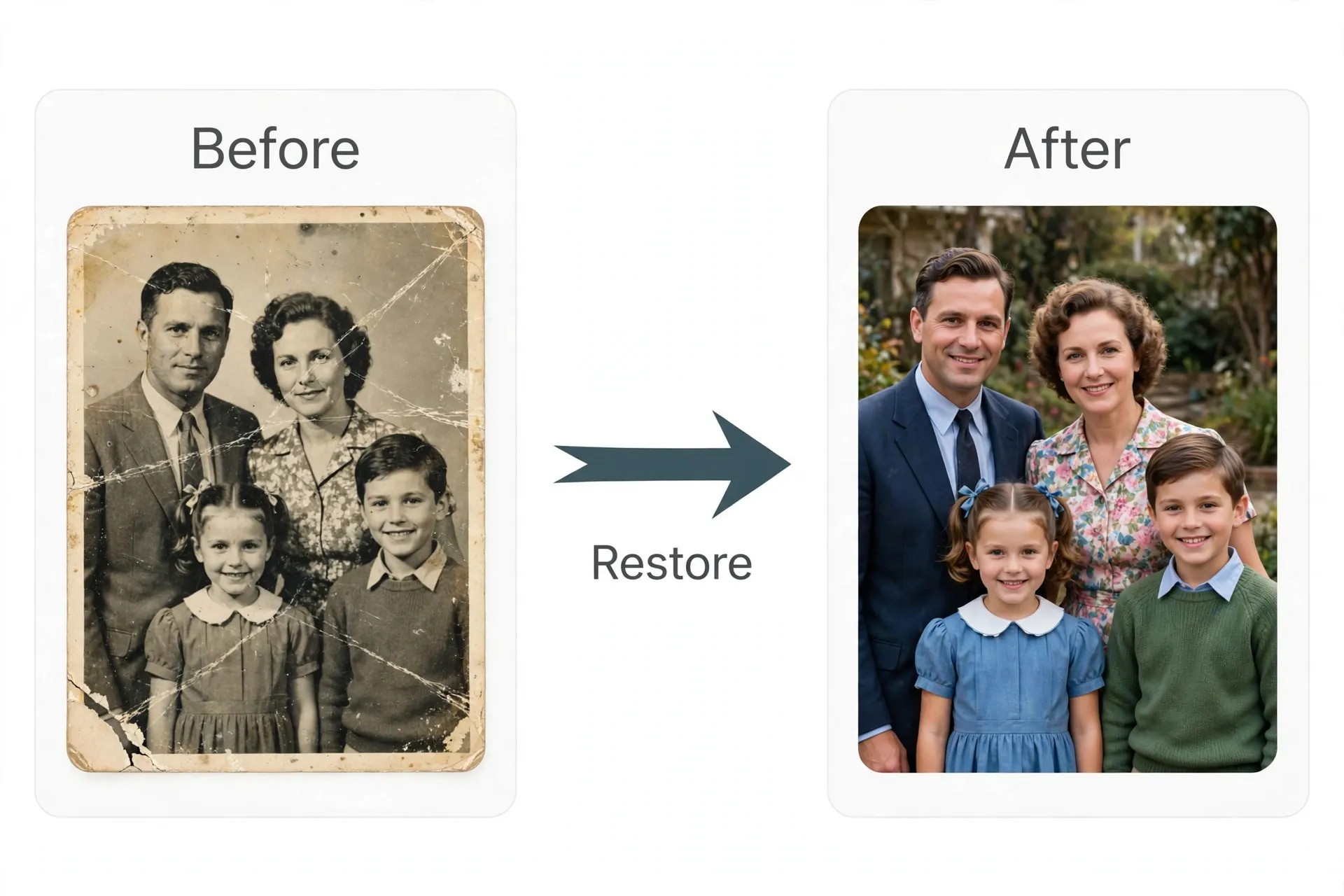
This is the single feature older users pay for most. Photograph a faded family photo, send it to Muse, and say “restore and colorize this” — it hands back a clean, colored version.
Tip: restore one photo at a time instead of batching ten at once — quality drops when you batch. Also have Muse keep the original file rather than overwrite it — you only have one copy of an old photo, and it can’t be un-lost.
Core skill 3: room redesign — see the result before you renovate
Photograph your living room or bedroom, send it, and say “redo this in a Japanese wood-toned style, replace this sofa” — Muse hands back a redesigned render. Useful before renovating, furnishing a rental, or refreshing an Airbnb — much more intuitive than gesturing at a designer for half an hour.
Core skill 4: portrait styling — save on a photo studio
Send a front-facing photo of yourself and say “restyle this as a 1920s student portrait, black and white, vintage” and a styled “portrait” comes back. Wedding, professional headshot, and graduation-photo styles all work. Note: only do this with your own photos — the “red lines” section below explains why using someone else’s photo is off-limits.
Real case: an 800,000-view “celebrity visit” photo
A small Australian business went viral with an AI-generated “celebrity visited our shop” photo posted to social media — 800,000 views, and it directly drove foot traffic. The idea itself isn’t complicated; the hard part was thinking of it — AI image generation here isn’t doing art, it’s producing marketing material.
Here’s another interesting use: someone photographed their garage for Muse and said “redesign this as a band rehearsal space” — Muse produced the redesign and, on its own initiative, found purchase links for secondhand sofas and soundproofing foam. The paintbrush and the hands-and-feet worked together, turning “see the result” into “buy the stuff” in one sentence.
By the way, people are already earning money from AI image generation — making marketing images for local businesses, restoring old photos, doing portrait styling — anywhere from tens to a few hundred dollars per job. It’s a classic ai side hustle: low cost, real demand. For a structured look at turning AI skills into income, see 7 real ways to make money with Meta Muse.
Advanced moves: doodle-editing and preset styles
Once you’ve got the basics down, try these two:
- Doodle editing: circle a section of the image and say “turn this into a floor-to-ceiling window” — local inpainting is far more controllable than regenerating the whole image.
- Preset styles: just name a style keyword — “children’s crayon drawing,” “classical oil portrait,” “rock album cover” — and Muse produces a consistent look across a series, which saves a lot of work for batches of images.
Red lines: don’t misuse photos of real people
This needs its own section, because people have already gotten this wrong:
- Don’t generate misleading content using someone else’s photo — e.g. faking someone “visiting a shop,” “endorsing a product,” or a “scandal” scene. This can be a likeness-rights violation, even illegal, in many jurisdictions, and platforms can ban accounts over it.
- Don’t use an AI-generated “celebrity photo” to farm engagement without disclosing it’s AI. The Australian case went viral, sure, but the moment something like that is judged as fraudulent marketing, the backlash is fast.
- Never touch photos involving minors. No exceptions, period.
Keep one principle in mind: AI image generation is for creativity, not for deception. When the line isn’t clear, ask yourself: “If I were the person in this photo, would I be okay with this?”
Muse Image vs. Midjourney vs. Jimeng — who is it for
- Midjourney: the image-quality ceiling, built for professional creators, but you have to learn it and pay for it separately.
- Jimeng / Doubao: strong for the Chinese-language ecosystem, convenient for domestic users.
- Muse Image: its edge is convenience — no app switching, one line in an existing chat produces an image, and the agent can keep working from there (e.g. email the image, turn it into a poster and order a print). Quality is good enough, but don’t expect it to replace professional tools.
If you’re already a Muse user, Muse Image is a zero-learning-curve bonus. If you came specifically for image quality as a professional, it’s not the first choice yet.
FAQ
Do I need to download a separate app for Muse Image? No. It’s a capability built into Muse, usable directly in the App, on the web, and in WhatsApp.
Is there an extra charge for generating images? It runs on Muse’s free tier. The free tier gives roughly 100 million tokens per week, which is hard to burn through even with heavy use (see our Muse free tier guide).
Who owns the copyright on generated images? Can I use them commercially? Meta’s official terms are still being updated (as of 2026-09-19). Personal use and posting to social accounts is generally fine; check the latest terms on muse.ai before commercial use — don’t rely on secondhand claims.
Does it work outside the US? Muse is currently US-only, 18+.
Do prompts work well in languages other than English? Everyday descriptions work fine. For more precise style control, you can mix languages — describe the subject in your native language and use English for style keywords.
Can I turn this into an AI side hustle? Yes, and people already are: old photo restoration, marketing visuals for local businesses, and portrait styling are all real demand. For pricing and client acquisition specifics, see 7 real ways to make money with Meta Muse.
New to Muse? Start with the download & setup guide — iOS, Android, Mac, web, and WhatsApp compared, and why Windows still has no native app.
References
- Artificial Analysis — source for the “#5 text-to-image, #4 editing” third-party leaderboard ranking cited above (rankings move; for reference only).
- muse.ai — Meta Muse’s official site; the authority for entry points and the latest terms on copyright.
Don't just read it — run the first job this week
Subscribe and get a 7-day validation checklist.
Subscribe free