Muse vs Grokbot vs ChatGPT Dots: Price, Features, and Which One to Use
Muse vs Grokbot vs ChatGPT Dots: Price, Features, and Which One to Use
In September 2026, AI assistants collectively stopped being chatbots and started being workers: Meta’s Muse (launched Sept 8), xAI’s Grokbot (public beta since August), and OpenAI’s Dots (announced at DevDay 2026). All three are the same idea — an always-on AI worker with its own computer and browser that keeps working while you sleep.
This article leads with what regular people actually care about: which is cheapest, which is strongest, and which one you should use. Detailed comparison and real community feedback follow.
The 30-second verdict
| Meta Muse | xAI Grokbot | OpenAI Dots | |
|---|---|---|---|
| In one line | Errand-runner for daily life, most generous free tier | A “digital colleague” for heavy computer workflows | The resident employee inside the ChatGPT ecosystem |
| Free tier? | Yes, ~100M tokens/week free | No, paid subscription required | Bundled with paid ChatGPT plans |
| Starting price | $0 (Power $20/mo, Maximum $100/mo) | ~$30/mo SuperGrok or $20/mo Cursor Pro (reported) | Included with Pro / Business Premium, no standalone price |
| How it works | Delegated errands: shopping, checkout, booking, forms, phone calls | Named bots as colleagues, each with a cloud computer, “teach by showing” | Persistent agent: cloud computer + browser, 4,000+ app plugins |
| Killer feature | Huge free allowance; works inside WhatsApp | Teach it once by demo; bots collaborate with each other | Deepest ecosystem: ChatGPT, Slack, Teams all connected |
| Biggest catch | US-only, 18+; most privacy controversy | Still in beta; weekly allowance + overage billing; allowance tightened Nov 2026, new limits unpublished | Only one dot for now; no standalone plan |
| Best for | People who want life admin outsourced at zero cost | Developers, operators, anyone with repetitive computer workflows | Teams and businesses already living in ChatGPT |
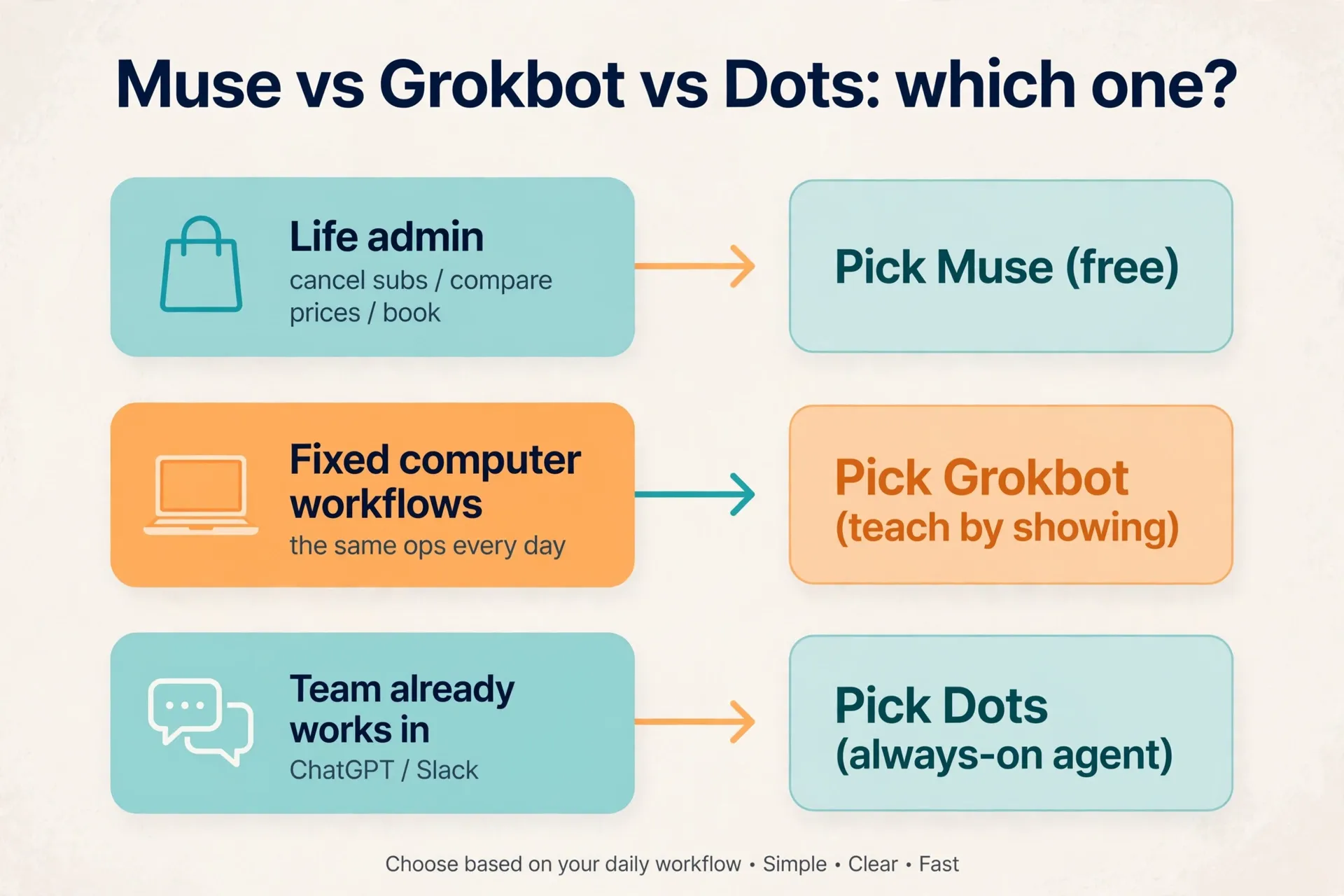
Pick in one sentence:
- Want AI to do your chores for free → Muse
- Have fixed workflows you want to teach once, automate forever → Grokbot
- Your team already works in ChatGPT/Slack → Dots
⚠️ None of the three officially serves mainland China. Muse is explicitly US-only, 18+. Dots and Grokbot follow their parent companies’ service-region policies.
What each one is
Meta Muse (Sept 8, 2026): Meta’s personal AI agent running on a dedicated secure VM with a Sentinel permission-review system. It doesn’t just answer — it executes: comparing prices, checking out, booking restaurants, filling forms, sending emails (with your approval first), making phone calls. Most entry points of the three: iOS, Android, web, Mac app, and even WhatsApp chat. Hit 5M downloads in 22 days (Sensor Tower third-party estimate) and briefly topped the US iPhone free chart.
xAI Grokbot (officially “Grok Bot”, public beta Aug 2026): xAI’s always-on agent. The core bet is the “colleague paradigm” instead of the “task paradigm” — you create named bots (“sales assistant”, “inbox manager”) and assign work like chatting with a coworker in iMessage. Each bot gets its own cloud computer (Linux VM + browser + filesystem + terminal) and keeps working with your laptop closed. Runs on Grok 4.6. Its breakout feature is teach by showing: record yourself doing a task once (up to 10 minutes) and it becomes a reusable routine.
OpenAI Dots (DevDay, Sept 29, 2026): A persistent agent inside ChatGPT powered by GPT-6 Astra. Each dot has its own cloud computer and browser, connects to 4,000+ apps via the ChatGPT plugin ecosystem, and collaborates with you in ChatGPT, Slack, and Teams, plus voice calls. Its signature is proactivity: background “proactive research” (read-only) that surfaces things worth doing before you ask. Custom Rules let you decide what it may do alone, what needs approval, and what it must never do.
Detailed comparison
Pricing: Muse’s free tier is in a league of its own
- Muse: Free tier of ~100M tokens/week (Zuckerberg’s figure, via CNET); Power $20/mo (500M tokens/week), Maximum $100/mo (3B tokens/week). Note: the free tier requires a payment card on file (purchasing is a core feature), and it’s US-only, 18+.
- Grokbot: No free tier. Per media reports, entry requires SuperGrok (~$30/mo) or Cursor Pro ($20/mo), with a weekly usage allowance and overage billed on top. Tiers may change during beta — check xAI’s official docs.
Update — Nov 7, 2026: two free Grokbot alternatives — Turnstone and OpenMausBot. Grokbot now sits behind X Premium ($30/month, since Oct 12) and its weekly allowance tightened in early November (see the Nov 3 note above). If you want the “team of AI colleagues” shape without that gate, both of these run on AI you already pay for:
- Turnstone (Mac app, free): sign in with your own ChatGPT, Claude, Gemini, Grok, or Cursor subscription, an OpenRouter key, or local Ollama. When one subscription hits its usage limit, your agent moves to another one and keeps working in the same conversation — no second bill, no shared weekly pool. It works across 60+ built-in apps plus any website through its own browser. Mac-only today; iPhone, web, and Turnstone Cloud are coming soon. First launched Aug 19, 2026; resurfaced on Product Hunt Nov 6.
- OpenMausBot (open source, Apache 2.0, free): a desktop app for macOS, Windows, and Ubuntu that turns Claude Code, Codex, and Grok into chat contacts — each bot with its own model, memory, computer, and connected apps. You need at least one of those CLIs installed and signed in; model usage bills to your provider. About 16,000 GitHub stars; the repo appeared Aug 11, 2026, the day Grok Bot launched.
The honest catch: neither is a free lunch — you still pay for the underlying AI plan (ChatGPT Plus $20, Claude Pro $20, and so on). What you skip is Grokbot’s $30/month X Premium gate. Both also need more setup than Grokbot: Turnstone is Mac-only, and OpenMausBot needs a CLI installed and signed in. Money angle: install either for a small business as a “your own AI team” setup — $300–600 one-time for install plus scheduling — and the client’s only ongoing cost is the AI plan they already pay for.
- Dots: Not sold separately; included with ChatGPT Pro / Business Premium subscriptions (Enterprise via beta). If you already pay for ChatGPT, the dot is effectively free; if you don’t, subscribing just for the dot is a new expense.
Money-saving takeaway: For light use and life admin, Muse’s free tier is the only one of the three that runs at true zero cost. For heavy computer workflows, Grokbot has the lowest entry price ($20–30). Dots makes sense if you’re already paying for ChatGPT.
How they work: three different ways to “hire”
- Muse = the gig worker: you hand it one job, it reports back. Strongest in consumer and life scenarios — shopping, checkout, tickets, restaurant bookings, bill negotiation, forms. Meta wired it into Shop Pay and PayPal (Amazon blocked it instead). Being able to spend money is its biggest differentiator.
- Grokbot = hiring colleagues: you hire bots by role, and they stay on the job. Strongest in fixed, repetitive computer workflows — daily invoice整理, lead follow-ups, competitor monitoring. Teach-by-showing is the killer feature: demo once, it learns; multiple bots can even pass work to each other in a group chat.
- Dots = the in-house employee: already “onboarded” into your ChatGPT workflow. Strongest in knowledge work and team collaboration — watching customer feedback and shipping bug fixes, proposals that update themselves as requirements change, turning interviews into clips and social drafts. The 4,000+ plugin ecosystem is the moat, and it takes orders right inside Slack/Teams.
Privacy and permissions: all three want your keys, differently
This is what the internet argues about most. The shared truth: if you want an AI to act for you, you have to hand it login access.
- Muse: the most controversial. Independent testing found it collects more data types than agents from OpenAI, Google, or Anthropic; the training opt-out is on by default and must be switched off manually; the free tier demands a payment card. Meta’s defense: Sentinel review plus approval cards before anything sends or spends. Privacy-sensitive users should flip the training switch off first.
- Grokbot: bots log into your apps “like a human” through a browser, so in theory any website works. The upside is universality; the price is handing over credentials (you can also take over the browser and type passwords yourself). Reliability is still beta-grade.
- Dots: the most “enterprise” posture — Custom Rules define what it may do, what needs approval, and what it must never touch; background proactive work is read-only; some actions (like changing a password) always stay with the user. OpenAI’s own teams use dots to investigate bugs reported in Slack. The most restrained of the three, though “always-on monitoring” still gives some people pause.
One rule for all three: don’t connect highly sensitive accounts (primary bank, core email) yet. Start with low-risk scenarios and throwaway logins.
Real community feedback (scraped late September)
- “So basically OpenAI’s version of grokbot?” — the most common comment under Dots coverage. Everyone frames it as an “agent war.”
- “every single week now there’s this new tool” — release fatigue is real; people fear learning something that goes stale in a month.
- Grokbot’s teach-by-showing was named the favorite feature by multiple early users — but technical users complain about “fake dones” (the bot claims it’s finished when it isn’t).
- Dots gets praised for proactivity (“My first assignment would be the boring task I keep postponing”) and mocked as “Clippy 2.0,” with the cute avatars turning some people off.
- Muse’s comment sections are the wildest: floods of non-US users hunting VPN + referral-code tutorials for free tokens — which itself proves the free allowance is genuinely attractive.
- The paying crowd’s consensus: “spending $100 a month for AI is already expensive” — stacking subscriptions hurts everyone.
Which to use when (with the money angle)
1. You’re a regular person who wants life admin offloaded → Muse Killing subscriptions, price-comparing purchases, booking restaurants, filling forms. The free tier’s ~100M tokens/week is more than light use will ever burn. Money angle: this is a ready-made “AI errand” business in a box — clean inboxes, cut bills, plan trips for clients, charge a service fee, near-zero cost.
2. You’re a developer/operator/freelancer with fixed, repetitive computer work → Grokbot The daily routine: pull data, fill forms, follow up, summarize. Record one demo, the bot runs it daily. Money angle: teach-by-showing is the shortest path from know-how to product — build automation routines for clients and charge monthly retainers; bot template sharing (community template sites already exist, e.g. grokbot-templates.com) is a traffic play too.
3. Your team/business already lives in the ChatGPT ecosystem → Dots A bug gets reported in Slack; the dot investigates, fixes, and opens a PR. Sales proposals update themselves as requirements change. Money angle: “Dots implementation” consulting for SMBs — converting their existing ChatGPT workflows into persistent agents, billed per project. It’s the freshest service gap since DevDay.
4. You’re in mainland China and don’t want network hassle → wait None of the three officially serves the region. Figure out which category of work you want to outsource first — the answer won’t change by the time access does.
FAQ
Q: Are the three basically the same thing? A: Same shape — always-on agents with cloud computers that work in the background — but different hiring logic: Muse is a gig worker you assign jobs to, Grokbot is colleagues you hire by role, Dots is an employee already onboarded into your workflow.
Q: Which is cheapest? A: Muse’s free tier wins for light use ($0). For heavy fixed computer workflows, Grokbot starts around $20–30/mo. Dots isn’t sold separately — it rides along with a ChatGPT subscription.
Q: Does Grokbot’s teach-by-showing actually work? A: It converts a screen-recorded demo into a reusable skill. Reviews are polarized: great for simple fixed flows, flaky for complex or frequently-changing pages. During beta, test on low-risk tasks first.
Q: What’s the privacy worry? A: All three need deep permissions. Shared red lines: don’t connect your primary bank or core email yet; Muse users should turn off the training toggle; Grokbot users can type sensitive logins themselves via browser takeover; Dots users should lock down “never do” items in Custom Rules.
Q: I already have ChatGPT Plus — do I get Dots? A: Not yet. Dots currently ships with Pro / Business Premium and above (Enterprise in beta). Consider it when it reaches Plus or when you were going to upgrade anyway.
References
- OpenAI Dots, official announcement: https://openai.com/index/introducing-dots/
- xAI Grok Bot docs: https://docs.x.ai/grok-bot/get-started
- Engadget: Grok Bot early beta (Aug 2026): https://www.engadget.com/2259931/spacexai-grok-bot-early-beta-how-to-try/
- Karmactive: Meta Muse features & privacy explained: https://www.karmactive.com/meta-muse-ai-agent-features-privacy-explained/
- Tech Insider: Muse pricing tiers: https://tech-insider.org/meta-muse-personal-ai-agent-launch-2026/
- Social comments: Instagram / Threads comment sections on Dots and Grokbot posts, late Sept 2026 (quoted as community feedback in the article)
Don't just read it — run the first job this week
Subscribe and get a 7-day validation checklist.
Subscribe free