How to Use Jev: From Signup to Your First API Call in 15 Minutes (Oct 2026)
How to Use Jev: From Signup to Your First API Call in 15 Minutes (Oct 2026)
Jev is TypeSafe AI’s “System One model,” released September 15, 2026: a hosted decision model where you send state plus typed questions to POST https://api.typesafe.ai/v1/systemone and get probabilistic answers back in one parallel pass — no chat, no prose, text input only. This guide shows exactly how to use Jev, from signup to a working API call, in about 15 minutes. It’s part of the Jev Hub.
The 15-minute quickstart
Step 1 — Sign up and grab your API key (2 min)
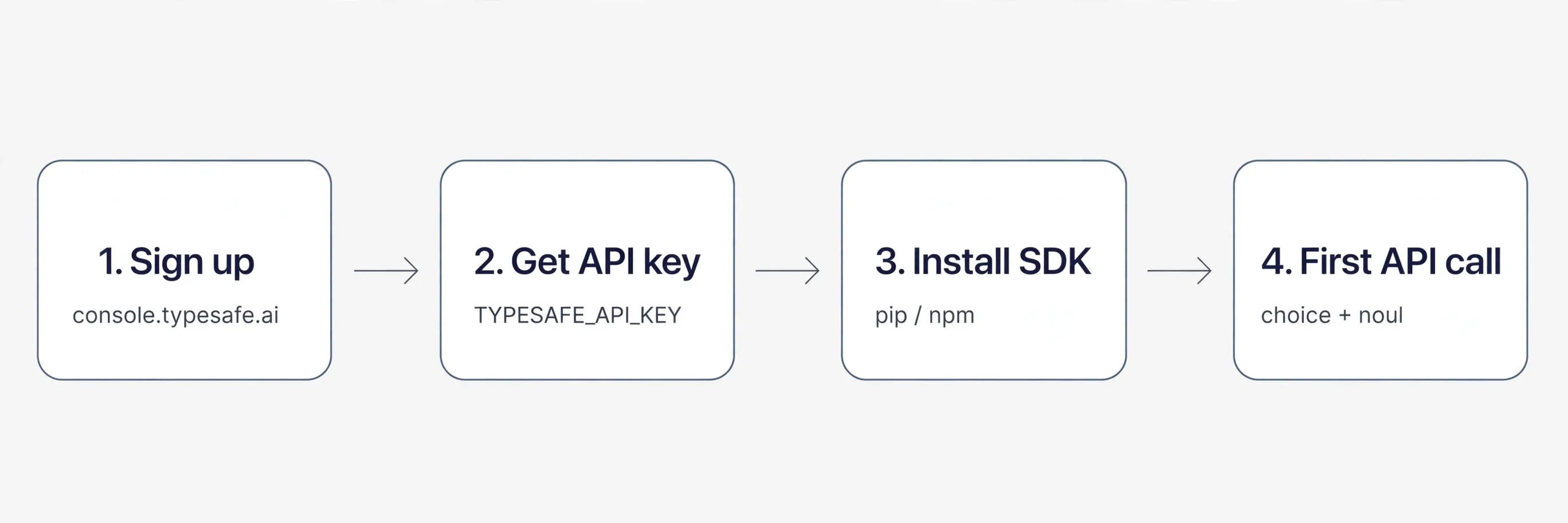
Create an account at console.typesafe.ai and generate an API key. Store it as TYPESAFE_API_KEY — server-side only, never in client code. New accounts get $5 of free credit (~120M tokens), enough to build and demo an entire prototype at zero marginal cost (see Jev pricing). If signup puts you in a queue, check the Jev waitlist status page.
Step 2 — Install the SDK (2 min)
pip install typesafe-sdk        # Python
npm install @typesafe-ai/sdk    # JS/TS
You can also skip the SDK entirely — it’s plain HTTPS, and the example below uses nothing but requests.
Step 3 — Make your first API call (5 min)
Send a POST to https://api.typesafe.ai/v1/systemone with three fields: model, state (the situation — up to 32k tokens of the 64k context window per request), and questions (your typed questions). The working code is below.
Step 4 — Read the probabilistic answers (the rest)
A choice question returns the winner plus the full probability distribution and a confidence score from 0–1. A noul question returns a single calibrated probability — the number is the belief. The three primitives are explained next.
The three primitives, with tiny examples
Jev has three question types, per the official docs. All three are mixable in a single call and evaluated in parallel.
Choice — pick one of up to 255 options. Returns the winner, the full probability distribution, and confidence 0–1. Use it for routing and classification. Example: triage: choice(["billing", "technical", "other"]) on a support ticket → winner "billing", confidence 0.91. Always include an explicit "other" option so the model is never forced into a wrong bucket.
Score — rates on a 2–10 level rubric you describe. Returns a probability-weighted value plus confidence. Use it for urgency, risk, or quality. Example: urgency: score("Rate how urgent this ticket is: 2 = whenever, 10 = drop everything") → 8.4 with confidence 0.77.
Noul — yes/no as a calibrated probability from 0–1. No separate confidence — the number is the belief. Use it for gates. Example: escalate: noul("Should a human review this ticket right now?") → 0.87 means “87% yes — escalate.”
Working code: choice + noul in ~20 lines
Request/response shapes below follow the official API reference:
import os
import requests

resp = requests.post(
    "https://api.typesafe.ai/v1/systemone",
    headers={
        "Authorization": f"Bearer {os.environ['TYPESAFE_API_KEY']}",
        "Content-Type": "application/json",
    },
    json={
        "model": "jev-latest",
        "state": "Ticket #4821: 'Charged twice on my October invoice, please fix ASAP.'",
        "questions": {
            "triage": {"choice": ["billing", "technical", "other"]},
            "escalate": {"noul": "Should a human review this ticket right now?"},
        },
    },
    timeout=10,
)
resp.raise_for_status()

answers = resp.json()["answers"]
print("winner:", answers["triage"]["winner"],
      "| confidence:", answers["triage"]["confidence"])
print("escalate probability:", answers["escalate"])  # the number IS the belief
Run it and you’ve made your first decision-model call. From here, swap in your own state and questions.
Design rules that actually matter
These come straight from the official docs and save the most debugging time:
- Keep questions atomic. Decompose a broad judgment (“is this customer happy?”) into small typed questions, then combine the answers in your code.
- Put domain rules in the question itself. Instructions and criteria belong in the rubric text (e.g. what “urgent” means), not in a system prompt somewhere else.
- Use confidence thresholds to route. High confidence → automate. Low confidence → send to a human or a bigger LLM. That threshold is the whole reliability story.
- Jev decides the branch; your code performs the action. Jev returns probabilities — it doesn’t send the email or update the ticket. Your code does, which keeps the blast radius small.
No code? Start in the playground
Open console.typesafe.ai/playground: paste some text, pick an answer type (choice, score, or noul), and watch the probabilities come back. An independent alternative is jevmodel.org — guest access gives 10k tokens and signed-in gives 100k, no card required. It takes the same request body; you just swap the base URL.
Where to go next
Two production habits before you ship anything real:
- Pin the version. Use
jev-1.13.0in production, notjev-latest— aliases move. - Log the
modelfield from every response, so you always know exactly which model answered.
Latency is 70–500ms per the vendor (one independent test measured a 423ms median via OpenRouter), so design around sub-second decisions — that’s the point. Jev is also reachable through Vercel AI Gateway (typesafe-ai/jev), Cloudflare Workers AI (typesafe/jev), OpenRouter (typesafe/jev-1.13), and LangChain (langchain-typesafe). For the long version, see the Jev AI tutorial.
The money angle: your first paid classifier service in a weekend
This tutorial doubles as a business plan — the $5 credit (~120M tokens) funds the entire prototype phase at $0 marginal cost:
- Day 1: Playground plus your first API call on the free credit. Pick one boring decision a real business makes daily — support-ticket triage is the classic.
- Day 2: Wrap that one workflow in a tiny service: ticket in, routed ticket plus escalation flag out.
- Day 3: Charge for it. You’re selling a working classifier, not a chatbot demo, and your marginal cost per decision is fractions of a cent.
The full playbook is in make money with Jev.
Watch out for scams
There are roughly 670 fake “jev” domains in circulation. Only trust console.typesafe.ai and docs.typesafe.ai — never paste your API key anywhere else.
References
Don't just read it — run the first job this week
Subscribe and get a 7-day validation checklist.
Subscribe free